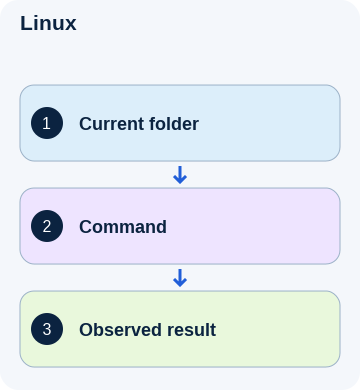
Check where you are, read the command, and inspect the output before continuing.
Connect it to this lesson: Linux fundamentals. Identify where the idea fits in the map, then explain it using the lesson’s example. This is a program-level concept map; the written lesson provides the specific detail.
Mini challenge · predict before revealing
Which command prints the current working directory?
Explain the answer
pwd reports the current directory. Practice commands in a disposable training environment.
Practice only. This does not change course progress, certificates or reward eligibility. Explain the answer without looking before moving on.
Course Outline
Explore all 20 lessons, with teaching notes, examples, practical exercises and knowledge checks. The first three lessons are free to preview without an account.
Study time includes extended reading and practice. Free sample previews take about 15–25 minutes each. Create a free account to continue with the full course.
Sample topics and lessons
Linux and the terminal
Full lesson study allowance: 2 hrs 15 min · Free preview: about 15–25 minutes
Linux is an operating-system family. A shell lets you enter commands; begin in a disposable practice environment.
Practice activity: Explain what pwd helps you discover.
Watch for: Choose a topic you want to revise. Pause and explain the idea in your own words, then try the quiz without the video.
For a long course, choose the relevant chapter; you do not need to watch the entire video before continuing. This is a supporting program video and may cover only selected topics; it is not a separate recording of every lesson. Videos are optional; use the written lesson and exercises too.
If playback is unavailable, use the source link. Look for captions or a transcript on the provider’s page.
Try a sample practice quiz
Answer all 3 questions, then check your score below. This is a practice check, not the full course or an official certification exam.
Build a portfolio project
In a disposable learner folder, create notes, copy them, search their contents, set owner-only permissions and archive them. Submit a command transcript explaining every command.
Save progress, practice with quizzes and earn an M.E.T. foundation completion certificate. External professional certifications have separate requirements.