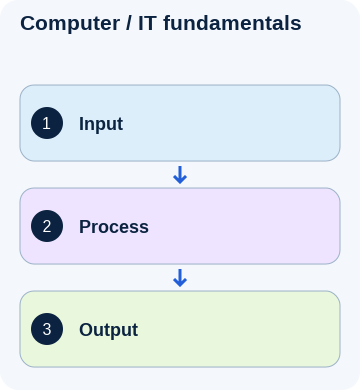
A keyboard provides input, software processes it, and a screen shows output.
Connect it to this lesson: Computer / IT fundamentals. Identify where the idea fits in the map, then explain it using the lesson’s example. This is a program-level concept map; the written lesson provides the specific detail.
Mini challenge · predict before revealing
You type a name and it appears on screen. Which device supplied the input?
Explain the answer
The keyboard supplies the typed input; the screen displays output.
Practice only. This does not change course progress, certificates or reward eligibility. Explain the answer without looking before moving on.
Course Outline
Explore all 20 lessons, with teaching notes, examples, practical exercises and knowledge checks. The first three lessons are free to preview without an account.
Study time includes extended reading and practice. Free sample previews take about 15–25 minutes each. Create a free account to continue with the full course.
Sample topics and lessons
Getting to know a computer
Full lesson study allowance: 1 hr 35 min · Free preview: about 15–25 minutes
Hardware is the physical equipment. Software is the set of instructions that makes it useful. Identify the screen, keyboard, processor, memory and storage.
Practice activity: List five items you use with a computer and label each hardware or software.
Watch for: Choose a topic you want to revise. Pause and explain the idea in your own words, then try the quiz without the video.
For a long course, choose the relevant chapter; you do not need to watch the entire video before continuing. This is a supporting program video and may cover only selected topics; it is not a separate recording of every lesson. Videos are optional; use the written lesson and exercises too.
If playback is unavailable, use the source link. Look for captions or a transcript on the provider’s page.
Try a sample practice quiz
Answer all 3 questions, then check your score below. This is a practice check, not the full course or an official certification exam.
Build a portfolio project
Create a learner workspace with folders for lessons, labs and backups. Produce a one-page document, a spreadsheet calculating a study budget, and a professional email with a PDF attachment.
Save progress, practice with quizzes and earn an M.E.T. foundation completion certificate. External professional certifications have separate requirements.